
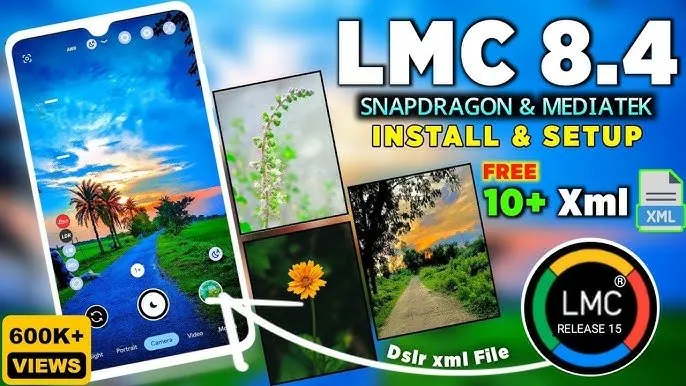
Stop Taking Boring Photos: The Ultimate Guide to LMC 8.4 (Plus My Premium Config Pack) 🚀📱

Look, we’ve all been there. 🤦♂️ You’re looking at an amazing sunset 🌅, a cool street scene 🏙️, or trying to take a nice portrait 👤. You snap the picture with your phone, look at the gallery, and it’s just… meh. The colors are flat, the sky is blown out, or your skin looks like plastic because of the stock camera’s heavy smoothing.
If you want your phone to take photos that actually look like real life (or better!), you need to know about LMC 8.4. 🔥
I’m going to explain exactly what it is, how to use it, and at the end of this post, I’m giving away my entire premium bundle of config files so you can upgrade your camera in about two minutes. ⏱️👇
What Actually is LMC 8.4? 🤔⚙️
To keep it simple: LMC 8.4 is a custom, modified version of Google Camera (GCam).
Google makes some of the best camera software in the world for their Pixel phones. A developer named Hasli figured out how to port that incredible software so it works on almost any Android phone. 🤯
But the app itself is only half the story. The real secret weapon is Config Files. 📁✨
Instead of making you mess around with confusing settings like noise models, shadow contrast, and saturation levels, config files do the heavy lifting for you. They are tiny .xml files you load into the app that instantly change how the camera processes your photos.
Want your photos to look like they were taken on a $5,000 Leica camera? 🔴📷 There’s a config for that. Want an iPhone vibe? 🍏 There’s a config for that, too.
How to Set Up Your Config Files (It Takes 2 Minutes) 🛠️⏳
Don’t worry, you don’t need to be a tech genius to do this. Once you have the LMC 8.4 app installed on your phone, follow these steps:
- Download the config pack 📥 from the link at the bottom of this page and extract the
.xmlfiles. - Open your phone’s File Manager 🗂️ and go to your main Internal Storage.
- Create a brand new folder and name it exactly:
LMC8.4(no spaces). 📂 - Move all your downloaded
.xmlfiles into thatLMC8.4folder. - Open the LMC 8.4 camera app. 📸
- Double-tap the blank black space right next to the shutter button. ✌️
- A menu will pop up. Tap the dropdown, pick the config you want to use, and hit Import. ✅
That’s it. You’re ready to shoot. 🎉
What’s Inside the Premium Config Bundle? 🎁🔥
I’ve put together a massive list of premium configs that cover basically any lighting situation or style you could ever want. Here is what you are getting in the download pack:
The Daily Drivers 🚗🌤️
- AllRounder: Your go-to for standard, point-and-shoot photos. 🎯
- True Color: Zero over-saturation. Just 100% natural, lifelike colors. 🌿
- Pixel Style: Gives you that punchy, high-contrast Google Pixel look. 📱
Portraits & People 🧍♀️🤳
- DSLR Mode: Deep background blur and sharp subject focus. 📷
- iPhone 15 Pro: Replicates the warm, balanced aesthetic of the newest iPhones. 🍎
- Blur Portrait: Insanely good edge detection for professional-looking portraits. 🎭
- Human Tone: Perfectly tuned so skin tones look natural, not washed out. ✨
- Selfie Beautification: Clean, subtle enhancements for the front camera. 💅
Creative & Cinematic Vibes 🎬🎨
- Helena True Leica & Leica Authentic: That rich, moody, and iconic Leica contrast. 🔴
- Cinematic Nature: Makes greens and earth tones pop—perfect for hiking. 🌲
- Saturated: Super vibrant colors, ready to post on Instagram without editing. 🌈
- Golden Hour Magic: Enhances the warm light of sunrise and sunset. 🌇
- AquaVision: The best config for beach days and crystal-clear water. 🌊
Tough Lighting & Pro Tools 🦉🔦
- Night Mode: Pulls light out of the dark with zero grainy noise. 🌙
- HDD Mode: High-Dynamic Details for ultra-sharp architecture and landscape shots. 🏙️
- HSL Mode: Advanced color tweaking. 🎛️
- R18 Special: An exclusive, highly-tuned experimental config. 🔬
🎁 Download the Full Premium LMC 8.4 Config Bundle ⬇️
Ready to ditch your stock camera? I’ve packaged all 19 of these premium config files into one simple ZIP folder. 🤐
[ 📥 Download the Ultimate Premium Config Pack Here ]
Quick Tip 💡: Play around with them! You’ll probably find 2 or 3 favorites that you use all the time. I usually keep the “AllRounder” on during the day ☀️ and switch to the “Leica” config when I want something a bit more moody. 🌘
Waiting for action…



Thanks